AI marketing for small business: what to hand to AI, what to check, and what to keep human
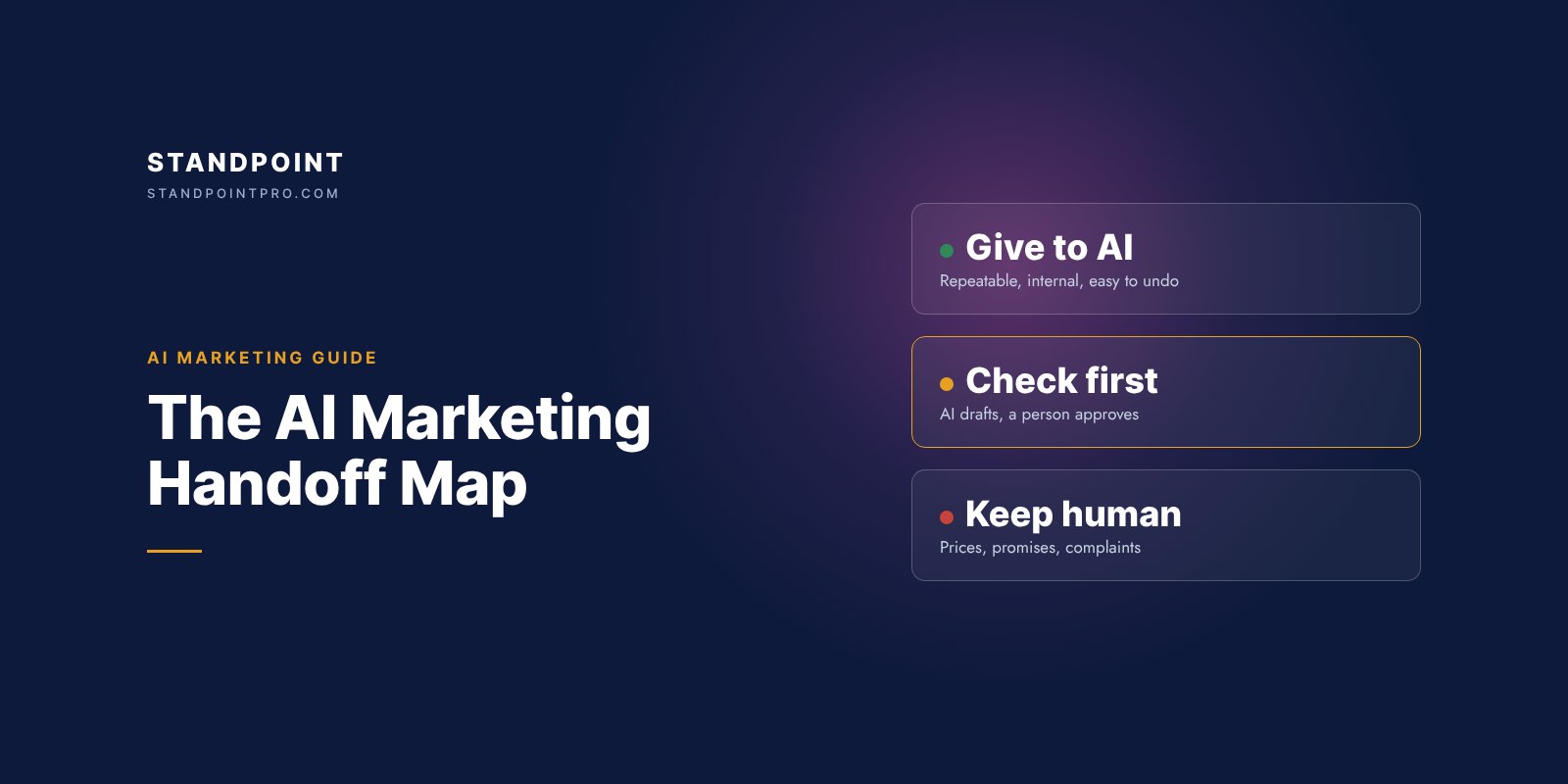
Give AI the repeatable, internal work: summaries, tagging, list cleaning, first drafts and reports. Let it draft anything that reaches a customer, but have a person approve it first. Keep prices, promises, complaints and outreach to strangers in human hands. Start with three handoffs: an instant reply to every new lead, call summaries into the CRM, and follow-ups drafted by AI and approved by a person.
AI marketing tools promise to run your marketing for you. Most small businesses that try them end up in one of two places: AI writes a few social captions and nothing else changes, or too much gets automated and something embarrassing goes out under the owner’s name.
The useful middle is deliberate: decide which tasks AI takes over, which it only drafts, and which stay human. We call it the handoff map.
What is AI marketing automation, in plain terms?
Two things working together. Automation follows rules: when a form comes in, send this email and add the contact to the CRM. AI handles the parts that used to need a person to read or write: sorting an enquiry, summarising a call, drafting a reply. Together they mean a new lead gets an answer in minutes, is tagged and recorded, and is followed up, without anyone remembering to do it.
Which marketing tasks should you give to AI?
Sort every task into one of three zones.
Green: give to AI
Internal, repeatable and easy to undo. AI does it end to end and a person spot-checks a sample each week.
- Summarising calls and emails into the CRM
- Tagging new enquiries by type and urgency
- Cleaning and merging duplicate contacts
- Turning your notes into blog and post outlines
- Resizing and reformatting content for each channel
- Writing ad variations for testing, within approved claims
- Summarising weekly results from your reports
Amber: AI drafts, a person approves
Anything that reaches a customer, but follows your rules.
- The instant reply to a new lead, approved once as a template
- Follow-ups to leads who went quiet
- Newsletters and email sequences
- Website chat answers, from your own pages only
- Product and landing page copy
- Replies to positive reviews
- First drafts of proposals and quotes
Red: keep human
Anything that commits money, makes a promise or can’t be undone. AI may prepare the background; a person decides and sends.
- Prices, discounts, refunds and contract terms
- Replies to complaints and negative reviews
- Outreach to people who never contacted you
- Claims about results, safety, health or legal matters
- Deciding which leads to pursue, and which to drop
- Anything sent at a sensitive moment for the customer
Three questions that place any task
- Who sees it? If it reaches a specific customer under your name, it is at least amber.
- Does it commit you? If it sets a price, a date or a promise, it is red.
- Can you undo it? If a mistake can’t be fixed in a minute, unseen, move it one zone to the right.
What’s inside the free guide
The full map, the guardrails for each zone, a voice sheet to fill in, and the prompts for the first three handoffs.
- 01Why the question is which tasks, not whether
- 02The map: 20 tasks in three zones
- 03Three questions that place any task
- 04Guardrails to set up for each zone
- 05Your voice sheet, ready to fill in
- 06The first three handoffs, with prompts
Where to start: the first three handoffs
These save time in the first week and stop leads going cold. Each works in ordinary tools such as Brevo, HubSpot or Klaviyo, with ChatGPT or Claude for the drafting.
- An instant reply to every new lead. Written with AI, approved once, then sent automatically within minutes: thanks, an answer to the obvious question, a booking link, and when a person will reply.
- Call and email summaries into the CRM. Five lines after every conversation: the need, budget, timing, who decides and the next step.
- Draft-then-approve follow-ups. When a lead goes quiet, AI drafts a short follow-up from the thread and a person approves it.
How do you keep AI emails from sounding robotic?
Give every tool the same voice sheet: three words for how you sound, one real email you are proud of, words you never use, the claims you can make with proof, and the ones you never make. Add five approved examples. Then watch how many drafts go out unchanged. When almost all of them do, that task may be ready to move from amber to green.
What about consent?
AI doesn’t change the rules on who you may email or text. In Canada, CASL requires consent for most commercial electronic messages, so automated follow-up should go to people who asked to hear from you. Have your wording checked once. This is general information, not legal advice.
Signs a handoff went too far
- A customer quotes a price you never set.
- A reply promised a date nobody agreed.
- Leads say your messages feel generic.
- Nobody can say what the AI sent last week.
Measure the handoffs by time to the first reply, the share of leads with a next step logged, the hours your team gets back each week, and the errors caught at the approval step.
Questions owners ask
What is the best AI tool for small business marketing?
Usually the AI built into tools you already use: most email and CRM platforms, such as Brevo, HubSpot and Klaviyo, now draft and summarise, and a general assistant such as ChatGPT or Claude covers the rest. Which tasks you hand over, and how they are checked, matters more than the tool.
Can AI follow up with leads automatically?
Yes for the instant first reply, once a person has approved it as a template. Later follow-ups work best as drafts that a person approves, until you trust the results.
Will AI replace my marketing person?
It takes over repeatable work such as summaries, tagging, drafts and reports. Judgement, promises, pricing and relationships stay with people.
Is it legal to send automated marketing emails in Canada?
Canada’s anti-spam law (CASL) requires consent for most commercial electronic messages, with some exceptions, and automation doesn’t change that. Automated follow-up should go to people who asked to hear from you. This is general information, not legal advice.
Will automated emails sound robotic?
Not if the AI works from a voice sheet and a few approved examples, and a person approves anything that reaches a customer until the drafts rarely need changes.
Does this work for service businesses?
Yes. Most of the tasks on the map, such as enquiries, quotes, follow-ups and review replies, are everyday work for service businesses.
Want the follow-up, the CRM and the AI pieces set up for you? See how we automate marketing and lead follow-up, or check your ads with where is your ad budget going?
Want this applied to your business? Start with a strategy call →
15 minutes. Free. No pitch.
Get the free guide
6-page PDF · Free · Opens right after.
Your details stay with us. No newsletter unless you tick the box.